
Checking Text in Code
Spell checking doesn't always need a control. A service that validates form fields, a batch job that reports mistakes in texts, or a test that checks generated output only needs to pass a string and read the result. For this, TX Spell .NET has the TXSpell class: the same checking and suggestions as the spell checker component, with no dialog, no menu and no window. You build a console application with it and see the incorrect words of a sentence and their suggestions.
Prerequisites
- Visual Studio on Windows with .NET 8 or higher, or the .NET SDK for the
dotnetcommand. - The setup of TX Spell .NET for Windows Forms 11.0, the full or the trial version, installed on your machine. It provides the package source Text Control Offline Packages. See Installing the Product.
Create the Project
Visual Studio
- Open Visual Studio and create a new project.
- Select the project template Console App for C# and click Next.
- Enter the project name InCode and click Next.
- Select .NET 8 or higher as the Framework and click Create.
.NET CLI
dotnet new console InCode
cd InCode
Install the NuGet Package
The package for code without a user interface is TXTextControl.TXSpell.Core.SDK. It contains only TXSpell.dll with the TXSpell class, and it doesn't depend on TX Text Control or on any other package.
Select the project in Solution Explorer and choose Project > Manage NuGet Packages....
Select Text Control Offline Packages in the Package source list and click Browse.
Select
TXTextControl.TXSpell.Core.SDKand click Install.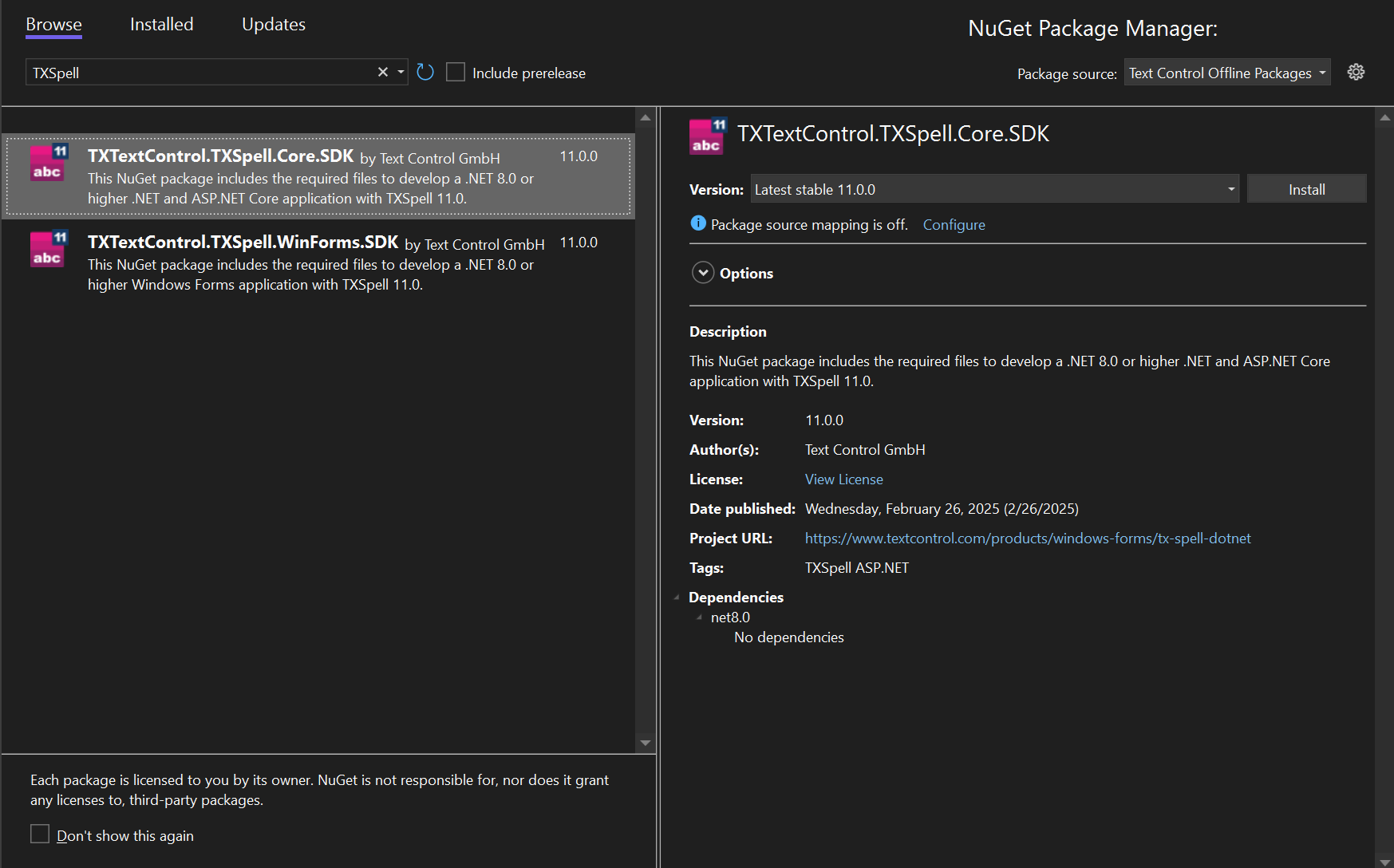
With the .NET CLI, the package source Text Control Offline Packages must be configured for NuGet, as Configuring Package Sources describes:
dotnet add package TXTextControl.TXSpell.Core.SDK
The package brings the US English language data and copies it into the output folder when you build: the dictionary in Dictionaries, and the hyphenation, language recognition and synonym files in their own folders. It also adds your license file to the project as an embedded resource. Package Overview compares the packages.
Write the Code
Replace the contents of Program.cs with this code:
using System;
using TXTextControl.Proofing;

// Create the spell checker and initialize it before first use
TXSpell spell = new TXSpell();
spell.Create();

// The dictionaries loaded from the Dictionaries folder
foreach (Dictionary dictionary in spell.Dictionaries)
{
    Console.WriteLine($"Dictionary: {dictionary.Name} ({dictionary.Language})");
}

string text = "This sentance contains two speling mistakes.";

// Check the text; the incorrect words are listed in IncorrectWords
spell.Check(text);

Console.WriteLine($"{spell.IncorrectWords.Count} incorrect word(s) in: {text}");

foreach (IncorrectWord incorrectWord in spell.IncorrectWords)
{
    // Create at most five suggestions for the incorrect word
    spell.CreateSuggestions(incorrectWord.Text, 5);

    Console.Write($"- {incorrectWord.Text} (position {incorrectWord.Start}):");

    foreach (Suggestion suggestion in spell.Suggestions)
    {
        Console.Write($" {suggestion.Text}");
    }

    Console.WriteLine();
}
What the Code Does
- TXSpell is the spell checker without a user interface. Its constructor without arguments chooses the dictionary through Language, which is "(Auto)" by default: the dictionary of the environment language, or a close one, otherwise US English.
- Create initializes the object and must be called before any other member. Without it,
Checkthrows an exception that says so. - Dictionaries lists the dictionaries the spell checker loaded. They come from the Dictionaries folder next to the application, which is what the default of DictionariesDirectoryPath, "(Auto)", looks for.
- Check checks the text. IncorrectWords then holds each incorrect word, with its Text and its Start, a position that counts from 0.
- CreateSuggestions creates suggestions for one word, here at most five. Suggestions holds them, closest match first, each with its Text.
TXSpell doesn't implement IDisposable, so it needs no using statement.
Run the Application
Press Ctrl+F5 in Visual Studio, or run the application with the .NET CLI:
dotnet run
The console shows the dictionary, the two incorrect words with their positions and the suggestions for each:
Dictionary: en_US.dic (en-US)
2 incorrect word(s) in: This sentance contains two speling mistakes.
- sentance (position 5): sentence stance sentience sentences sentenced
- speling (position 27): spelling spieling tippling spewing sling
The build reports CA1416 warnings, which say that the methods are supported on Windows. The package targets .NET 8 without an operating system, and TX Spell .NET runs on Windows and Linux without TX Text Control, so the warnings don't stop the application. Add <NoWarn>CA1416</NoWarn> to a PropertyGroup of the project file to hide them.
Use It in a .NET Framework Project
In a .NET Framework project, reference TXSpell.dll from the Assembly folder of the installation instead of installing the package. The license then comes through licenses.licx, which needs this entry for TXSpell:
TXTextControl.Proofing.TXSpell, TXSpell, Version=11.0.1000.500, Culture=neutral, PublicKeyToken=6b83fe9a75cfb638
Licensing describes the file. The code of the console application stays the same.
Where to Go From Here
The blog article Building a Spell Checking Web API in ASP.NET Core puts the same class behind a web API, with endpoints for checking, suggestions, synonyms and language detection. Its sample is on GitHub in TXTextControl.Core.Spell.WebAPI.
Next Steps
- Incorrect Words and Suggestions: the members of incorrect words and suggestions, and which dictionaries provide them.
- Ignore Settings: decide which words
Checkskips. - Loading and Managing Dictionaries: add dictionaries of other languages.