
Configuring Package Sources
The NuGet packages of TX Spell .NET for Windows Forms are not published on nuget.org, so NuGet has to know where to find them. On a development machine, the setup takes care of this; a build server or a pipeline needs a source of its own. Three sources are possible, and a project can use any of them.
Which Source to Use
| Source | Where it is | Use it for |
|---|---|---|
| Text Control Offline Packages | A folder on your development machine, added by the setup | Development in Visual Studio |
| Text Control Private NuGet Feed | https://www.textcontrol.com/nuget/v3/index.json, with your email address and an API token | Build servers and CI/CD pipelines |
| Your own feed | For example Azure Artifacts, with the packages copied from the offline folder | Build systems in your organization |
Text Control Offline Packages
The setup of TX Spell .NET, the full or the trial version, adds the package source Text Control Offline Packages to NuGet. It holds the packages of all Text Control products installed on the machine, so TX Spell .NET and TX Text Control share it. In Visual Studio, select it in the Package source list of the NuGet Package Manager; Installing and Updating Packages shows the steps.
For builds with the .NET CLI on the same machine, name the folder of the source in a nuget.config file next to the solution. The setups of Text Control install the packages in C:\Program Files (x86)\Text Control GmbH\NuGetPackages:
<configuration>
<packageSources>
<add key="Text Control Offline Packages" value="C:\Program Files (x86)\Text Control GmbH\NuGetPackages" />
</packageSources>
</configuration>
Without a <clear /> element, nuget.org stays available for the other packages of the project.
Text Control Private NuGet Feed
The private feed serves the packages of the products your license covers, with the license already inside: for TX Spell .NET for Windows Forms, TXTextControl.TXSpell.WinForms.SDK and TXTextControl.TXSpell.Core.SDK. After a service pack, the feed has the new versions.
To use the feed:
The owner of your Text Control account assigns your serial number to you under Manage Products, with your email address.
You receive an email with a link to your personal nuget.config. The API token in it is created for you and is valid for 365 days; further tokens are created under Manage API tokens.
Put the nuget.config next to the solution. It looks like this, with your email address and your token:
<configuration> <packageSources> <clear /> <add key="nuget.org" value="https://api.nuget.org/v3/index.json" /> <add key="TextControl" value="https://www.textcontrol.com/nuget/v3/index.json" /> </packageSources> <packageSourceCredentials> <TextControl> <add key="Username" value="you@example.com" /> <add key="ClearTextPassword" value="YOUR-API-TOKEN" /> </TextControl> </packageSourceCredentials> </configuration>In Visual Studio, the source appears as TextControl in the NuGet Package Manager.
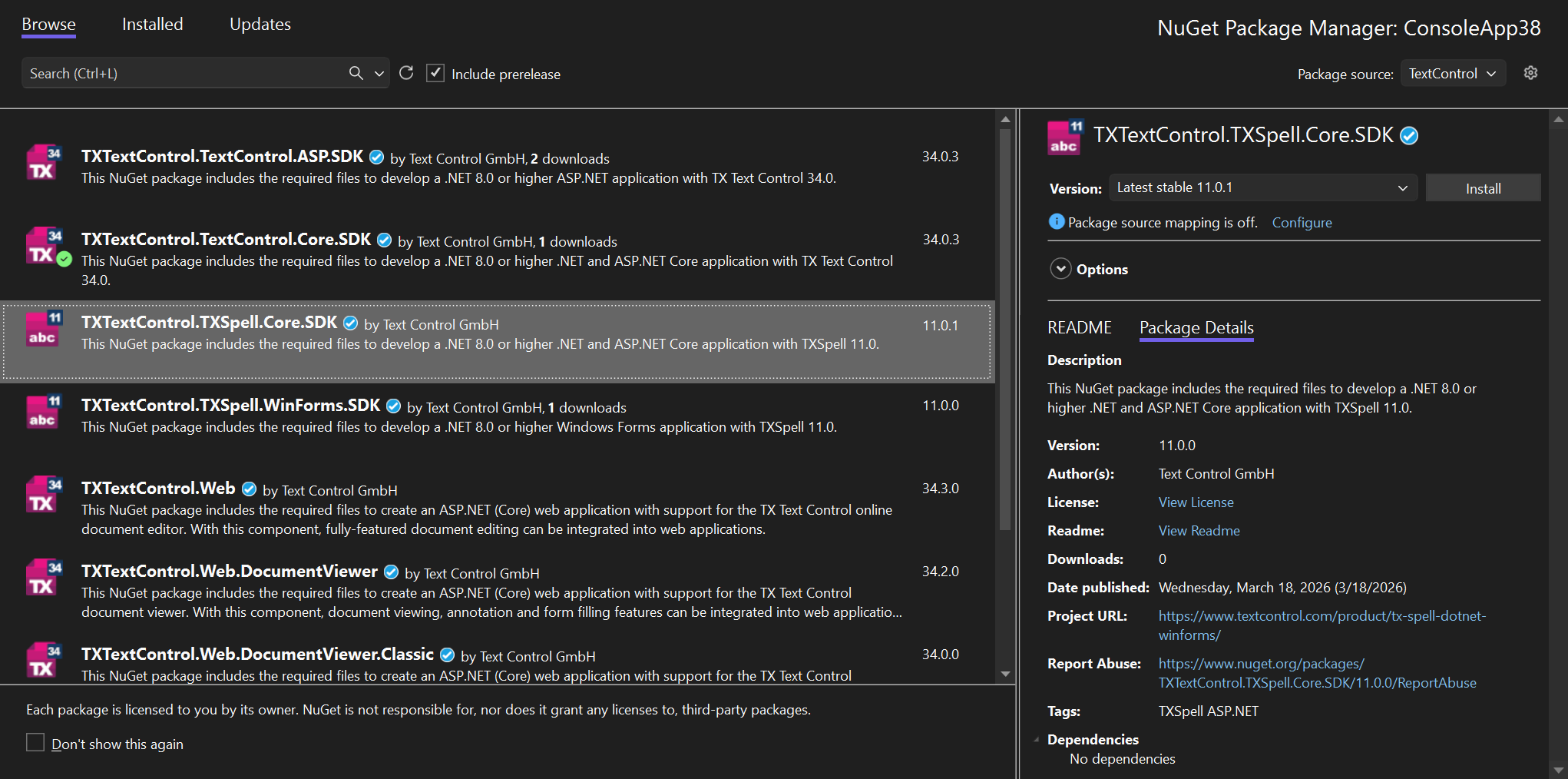
- Keep the file out of source control. It contains your credentials. On a build server, store the email address and the token as secrets and write the file during the build.
- If Visual Studio doesn't pick up the file, open Tools > NuGet Package Manager > Package Manager Settings > Configuration Files and replace the contents of your configuration file with it.
The blog article Text Control Private NuGet Feed describes the feed and its tokens in detail. Build Servers covers pipelines.
Your Own Feed
An organization that runs its own feed, such as Azure Artifacts, can push the packages from the offline folder into it with nuget push, and point its builds at that feed. The blog article Azure Pipelines with TX Text Control .NET for WPF and Windows Forms 32.0 with Azure DevOps and Artifacts shows the approach for TX Text Control; the packages of TX Spell .NET are pushed the same way.