
Synonym Lists
The synonyms of TX Spell .NET come from synonym lists, thesaurus files in the open source format of OpenOffice, one list per language. The NuGet packages bring the list for US English; lists for 23 more languages and regions are part of the language archives Text Control offers for download. The same spell checker that checks spelling loads them and chooses the list for the language of a text.
What a Synonym List Is
A synonym list is a pair of files with the same name:
| File | Holds |
|---|---|
| .dat | The entries: for each word, its meanings, one line each, with the part of speech and the synonyms |
| .idx | An index of all words, with the position of each entry in the .dat file |
The first line of both files names their encoding, such as UTF-8. An entry of the US English list looks like this; each line after the word is one meaning:
house|14
(noun)|dwelling (generic term)|home (generic term)|domicile (generic term)|...
(verb)|put up|domiciliate|shelter (generic term)
Notes such as (generic term), (similar term) or (antonym) describe how a synonym relates to the word. The names of the files start with th_ or thes_, followed by the locale, such as th_en_US_v2.dat and th_en_US_v2.idx; TX Spell .NET takes the language of a list from this name.
Where the Files Are
TX Spell .NET reads synonym lists from the folder SynonymLists, next to the application or, on the development machine, below the Assembly folder of the installation. The NuGet package copies the folder with the US English list, th_en_US_v2.dat and th_en_US_v2.idx, into the output folder when you build, and SynonymListsDirectoryPath sets another folder; Installing Dictionaries and Language Data describes the four language data folders together. AvailableSynonymLists returns the names of the lists in the folder, such as th_en_US_v2.dat.
Get Lists for Other Languages
The language archives on the dictionary download page contain a folder SynonymLists when the language has a thesaurus; the column "Thesaurus" of Supported Languages shows which ones do.
Copy the .dat and .idx files of a list into the SynonymLists folder of your project and set their Copy to Output Directory property, or add this to the project file for every file in the folder:
<ItemGroup>
  <None Update="SynonymLists\*.*" CopyToOutputDirectory="PreserveNewest" />
</ItemGroup>
Most lists come with license or readme files in their folder, whose terms apply when you ship them. Hunspell and OpenOffice Dictionaries describes the archives.
How a List Is Chosen
SynonymLanguage chooses the default synonym list. Its default, "(Auto)", takes the list in the language of the default spell checking dictionary: with the German dictionary as the default, the German list. When the folder has no list of that language, the spell checker takes one of a close language, then one of the language the application runs in, then the US English list and, without one, the first list of the folder.
To fix the list instead, set SynonymLanguage to its name, such as "th_de_DE_v2.dat"; "(none)" loads no list. A name the folder doesn't have resets the property to "(Auto)", and a folder without any list resets it to "(none)". The chosen list has its IsSelectedAsDefault property set to true.
Load a List in Code
The lists the spell checker uses are in SynonymLists, a SynonymListCollection. To add a list, create a SynonymList with the name of its file and pass it to Add:
// Offer German synonyms as well as English ones
TXTextControl.Proofing.SynonymList german = new TXTextControl.Proofing.SynonymList("th_de_DE_v2.dat");
txSpellChecker1.SynonymLists.Add(german);
The code works as follows:
- The constructor takes the name of the .dat or .idx file. A name without a path refers to the default folder.
Addloads the list and throws anArgumentExceptionwhen a file is missing.- The list gets its Language from the file name, here German (Germany).
GetItem finds a list by its Name, such as "th_de_DE_v2.dat", and Remove takes it out again. To keep a list loaded but unused, set its IsCreateSynonymsEnabled property to false.
Lists in the User Interface
The options dialog. Its Thesaurus tab lists the synonym lists of the spell checker, and the user switches a list on and off for synonyms there. DisplayName sets the name the dialog shows. Options Dialog describes the tab.
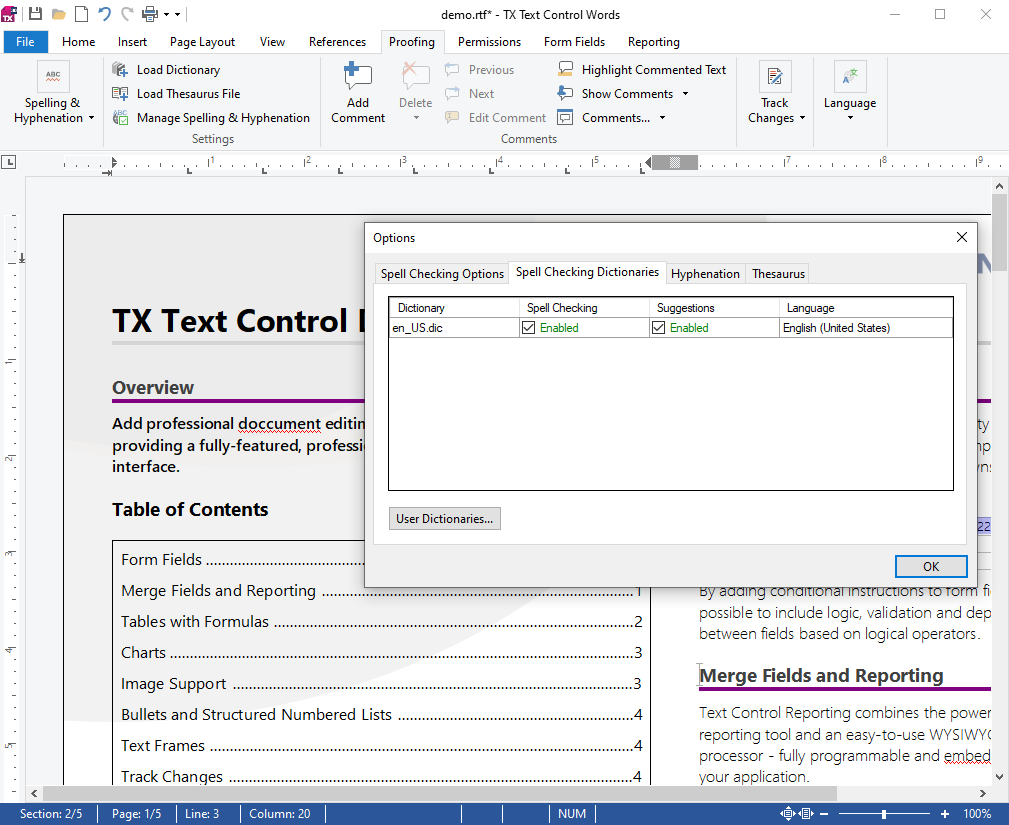
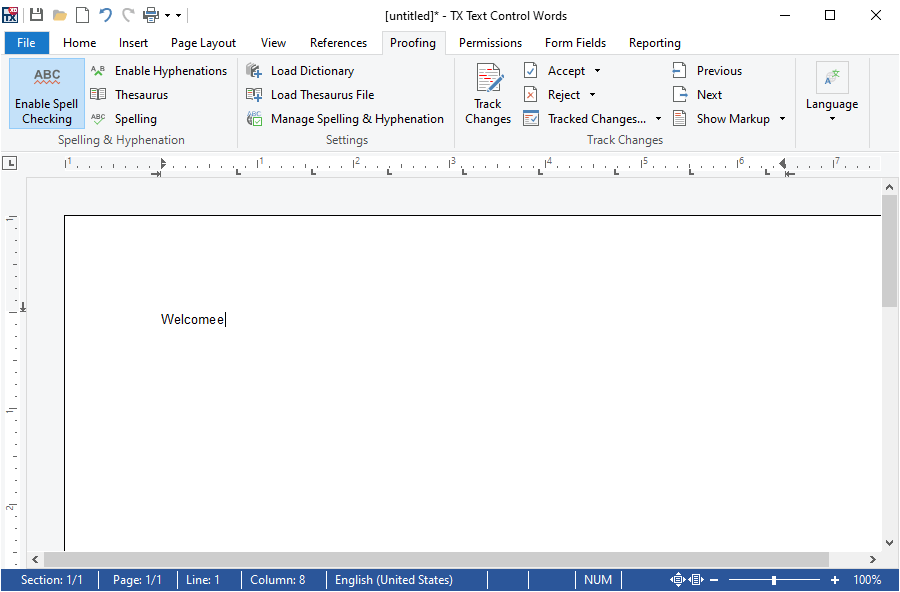
The ribbon. The Settings group of the Proofing tab of a RibbonProofingTab has a Load Thesaurus File button, which opens a dialog for loading thesaurus files (.dat) to create synonyms.
Next Steps
- Synonyms in the Context Menu: the thesaurus in TX Text Control.
- Looking Up Synonyms in Code: create synonyms for any word.
- Installing Dictionaries and Language Data: ship the lists with your application.