
Getting Started
The fastest way to understand TX Spell .NET for Windows Forms is to see it check a first document. The tutorials of Getting Started each end with a running application, and they differ in what the spell checker is connected to: the TX Text Control editor, the standard RichTextBox and TextBox, or no control at all.
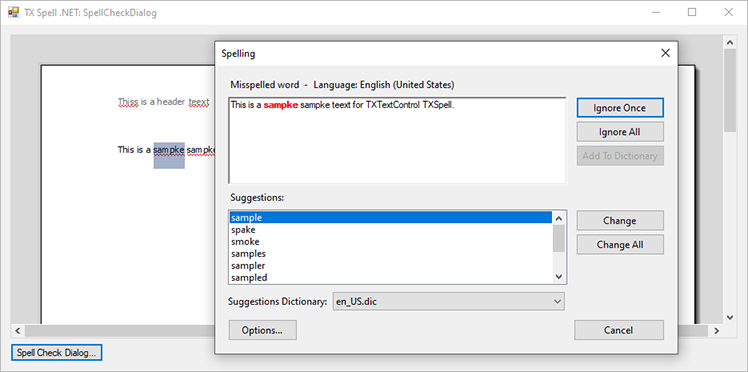
Choose a Starting Point
| If your application uses | Start with | What you get |
|---|---|---|
| TX Text Control .NET for Windows Forms | TX Text Control | Spell checking as you type, a context menu and a dialog, connected in the designer without code |
A RichTextBox or TextBox | RichTextBox and TextBox | Misspelled words colored while the user types, and the spell check dialog, with a few event handlers |
| No control: a service, a batch job or a test | Checking Text in Code | The incorrect words of a string and their suggestions, from the TXSpell class |
The tutorials use C#, Visual Studio and .NET 8 or higher, except Create a .NET Framework Application, which uses the .NET Framework 4.8.
Before You Begin
The setup of TX Spell .NET for Windows Forms 11.0 must be installed, the full or the trial version: it provides the NuGet packages in the package source Text Control Offline Packages. The TX Text Control tutorials also need the setup of TX Text Control .NET for Windows Forms 34.0. Installation Guide describes both.
The packages bring US English: its dictionary, hyphenation list, thesaurus and language recognition data. Every tutorial checks English text without further setup. Dictionaries and Languages adds other languages.
Where to Start
- Create Your First Windows Forms Application, if you use TX Text Control or are free to choose.
- Correct Words from the Context Menu and Open the Spell Check Dialog, to see what users do with it.
- Spell Checking, to go further.
Pages in This Section
- TX Text Control: a word processor with spell checking, for .NET and the .NET Framework, with the context menu and the dialog.
- RichTextBox and TextBox: spell checking for the standard text controls of Windows Forms.
- Checking Text in Code: a console application that checks a string with
TXSpell.