
Authentication Servers
When several DS Server instances serve the same applications, for example behind a load balancer or in several regions, each instance checks access tokens against its own security profiles. A token issued by one instance is unknown to the others, and every instance would need a copy of every profile. Authentication servers solve this: an instance can register other DS Server instances as authentication servers and ask them whether a token is valid. Since version 3.1.0, you register them on the Authentication page of the admin portal or with the Web API.
How It Works
Take two instances: ds1 processes documents and has no security profiles, and auth holds the profiles of your applications. On ds1, you register auth as an authentication server.
 Application                      ds1 (OAuth enabled)              auth (security profiles)
     |                                  |                                  |
     |-- POST /oauth/token ------------>|-- client unknown: forwarded ---->|
     |                                  |<---------------- token issued ---|
     |<-- token issued by auth ---------|                                  |
     |                                  |                                  |
     |-- request with the token ------->|-- token unknown: is it valid? -->|
     |                                  |<----------------------- valid ---|
     |<-- result, processed by ds1 -----|                                  |
- Tokens. When
ds1receives a request with a token that it didn't issue, it asks its registered authentication servers with POST /oauth/validatetoken. If one of them knows the token,ds1processes the request; if none does, it answers with status 401. - Token requests. When POST /oauth/token or GET /oauth/authorize can't authorize a client with its own profiles,
ds1forwards the request to the authentication servers. An application can request its token fromds1with the client ID and secret of a profile that exists only onauth, andds1returns the token thatauthissued. - The work. Documents are processed by the instance that received the request. The authentication server only answers whether a token is valid.
The check applies to instances with OAuth enabled. On the authentication server, the OAuth switch doesn't matter for this: it answers for the tokens of its own profiles either way. A registration takes effect at once, without a restart.
Plan the Setup
The blog article DS Server: Announcing Distributed OAuth Authentication for Scalable Applications describes two arrangements:
| Setup | How | Consider |
|---|---|---|
| Central authentication server | One instance holds all security profiles. Every other instance registers it as its authentication server and has no profiles of its own. | You manage the profiles in one place. When the central instance can't be reached, the others refuse tokens they didn't issue themselves. |
| Distributed authentication servers | Several instances hold the same profiles, and each registers the others. | When one instance fails, applications still get tokens from the others. The tokens that the failed instance issued are no longer accepted, because only the issuing instance knows a token, even when another instance has a copy of the same profile. The profiles have to be copied to each authentication server, as Multiple Servers with Load Balancing describes. |
An instance can register several authentication servers. A registered server that can't be reached doesn't block the others: a token that another registered server knows is still accepted.
Register an Authentication Server in the Portal
Sign in to the admin portal of the instance that should use the authentication server, ds1 in the example above.
Click Authentication in the navigation bar, or the Authentication Servers tile on the welcome page. The Authentication Servers list is empty on a new installation.
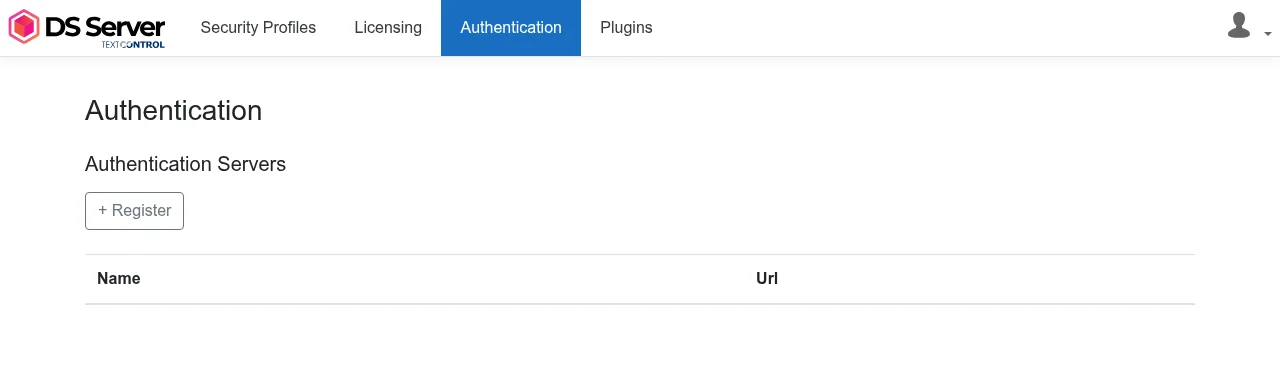
Click + Register.
On the Register Authentication Server form, enter a Name that identifies the server and its address in Authentication Server Url, such as
https://auth.example.com. This is the service URL of the other DS Server instance, the address its admin portal and Web API answer at.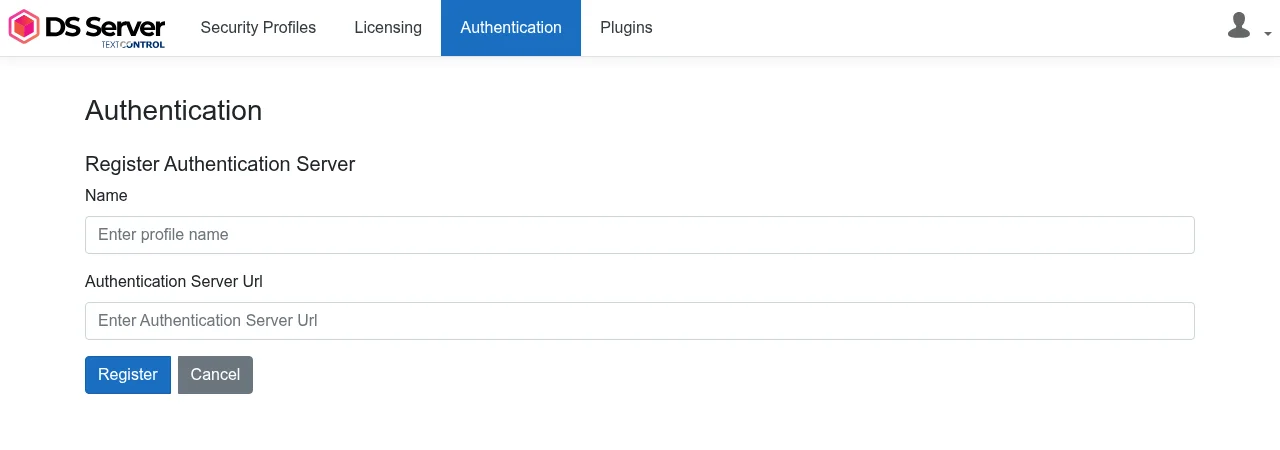
Click Register. The list shows the server with its Name and Url.
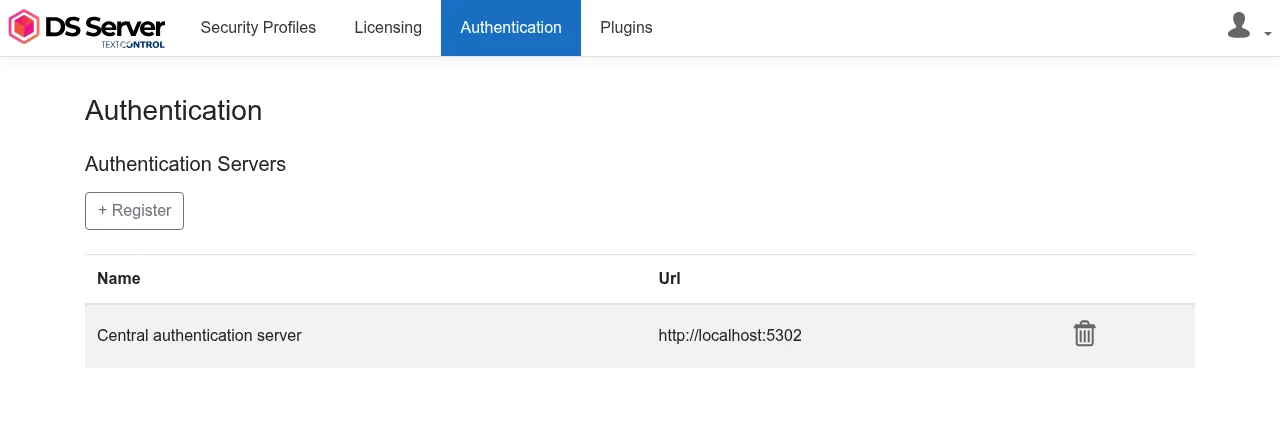
To remove a server, click its delete icon (tooltip "Deregister Authentication Server") and confirm Are you sure you want to deregister the authentication server? with Deregister.
As long as no authentication server is registered, DS Server with OAuth enabled writes "OAuthTokenAuthenticationService.IsAuthorized called but no authentication servers are registered." to its log for each token that it didn't issue itself, before it refuses the request with status 401. The message is informational: the instance has no other server to ask.
Register an Authentication Server With the Web API
The administration Web API has endpoints for the registered servers since version 3.1.0. Like the other administration endpoints, they take the admin user name and password in a Basic Authorization header.
| Task | Request | Body and answer |
|---|---|---|
| List the IDs | GET /admin/authenticationservers | Returns an array such as [1, 2] |
| Register a server | POST /admin/authenticationservers | {"name": "...", "serverUrl": "..."}; returns the new ID |
| Read a server | GET /admin/authenticationservers/{id} | Returns {"name": "...", "serverUrl": "..."} |
| Change the URL | PATCH /admin/authenticationservers/{id}/serverurl | The new URL as a JSON string |
| Deregister a server | DELETE /admin/authenticationservers/{id} | None |
This request registers auth on ds1:
curl POST 'https://ds1.example.com/admin/authenticationservers' \
'admin:<admin password>' \
'Content-Type: application/json' \
'{"name": "Central authentication server", "serverUrl": "https://auth.example.com"}'
DS Server answers with the ID of the registration, such as 1. An ID that doesn't exist gets status 404.
Register an Authentication Server With the Admin Package
The TXTextControl.DocumentServices.Admin package has a method for each endpoint. This console application registers auth on ds1 and lists the registered servers:
using TXTextControl.DocumentServices.Admin;

// Connect to the instance that should use the authentication server
Admin admin = new Admin("https://ds1.example.com", "<admin password>");

// Register the other instance
AuthenticationServer server = new AuthenticationServer()
{
    Name = "Central authentication server",
    ServerUrl = "https://auth.example.com"
};

int id = await admin.AddAuthenticationServer(server);

// List every registered authentication server
foreach (int serverId in await admin.GetAuthenticationServerIds())
{
    AuthenticationServer registered = await admin.GetAuthenticationServer(serverId);
    Console.WriteLine($"{serverId}: {registered.Name} ({registered.ServerUrl})");
}
The code works as follows:
AddAuthenticationServerregisters the server described byNameandServerUrland returns the ID of the registration.GetAuthenticationServerIdsreturns the IDs, andGetAuthenticationServerthe name and URL of one registration. Take the ID from the list: the object thatGetAuthenticationServerreturns doesn't fill itsID.UpdateServerUrl(id, url)changes the address, andDeleteAuthenticationServer(id)removes the registration.
The Endpoints for Tokens
Version 3.1.0 also added OAuth endpoints that DS Server instances use among each other and that help you test a setup.
| Endpoint | What it does |
|---|---|
| POST /oauth/validatetoken | Takes a token as a JSON string in the body and answers true if this instance issued it and it is valid, otherwise false. It doesn't ask the registered authentication servers. |
| GET /oauth/test | Answers 200 if a request with the token in the Authorization header, the access_token query parameter or the access_token cookie would be admitted, and 401 if not. It asks the registered authentication servers, and it answers 200 to any request when OAuth is disabled. |
| POST /authenticationserver/token | Issues a token like POST /oauth/token, but without forwarding a failed request to the registered authentication servers |
| GET /authenticationserver/authorize | Authorizes like GET /oauth/authorize, but without forwarding a failed request |
To check a new setup, request a token from the authentication server and call GET /oauth/test on the other instance with it:
curl 'https://ds1.example.com/oauth/test' \
'Authorization: Bearer <token issued by auth>'
HTTP/1.1 200 OK means that ds1 accepts the token of auth. Without the registration, the same request gets HTTP/1.1 401 Unauthorized on an instance with OAuth enabled.
Next Steps
- Multiple Servers with Load Balancing: run several instances behind a load balancer.
- Creating Security Profiles: create the profiles on the authentication server.
- Enable OAuth: switch on the token check on the instances that use the authentication server.