
Dictionaries and Languages
What TX Spell .NET accepts as correct depends on its dictionaries. US English is included; every other language is a Hunspell dictionary that you download and load, and the words of your users go into user dictionaries. In documents that mix languages, the language of each piece of text decides which dictionaries check it, and language detection finds those languages when a text doesn't carry them.
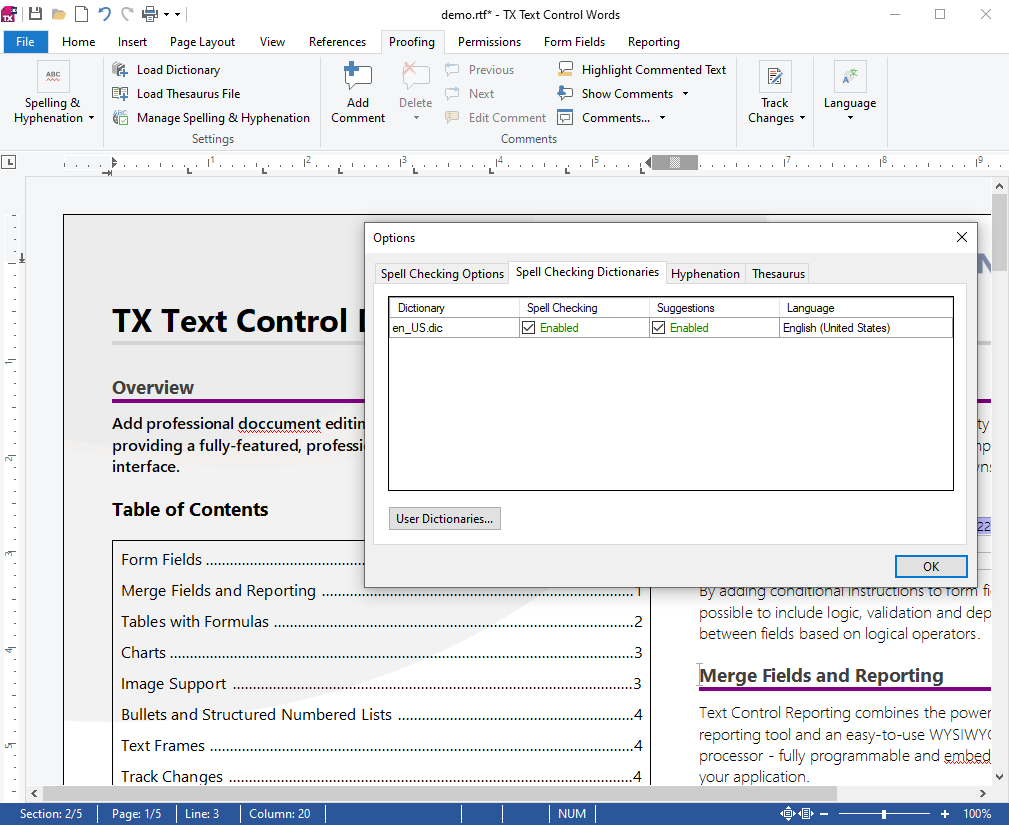
How Dictionaries Work
- Dictionary files. A language dictionary is a pair of Hunspell files, .dic and .aff, in the folder Dictionaries. Text Control offers tested dictionaries for about 40 languages.
- One collection. The
Dictionariescollection of the spell checker holds every dictionary it uses. A word is correct if an enabled dictionary of its language knows it. - A default dictionary. With the
Languageproperty at its default, "(Auto)", the spell checker loads the dictionary of the language the application runs in, or US English. - User dictionaries. Word lists with the extension .txd take the words users add with Add To Dictionary, and your code saves them for the next session.
- Languages of text. TX Text Control stores a language with the text and passes it to the spell checker, so each part of a document is checked in its own language.
The same folders hold the hyphenation lists and the thesaurus files, which Hyphenation and Synonyms and Thesaurus cover.
Find the Right Page
| If you want to | Read |
|---|---|
| Know what a dictionary consists of and download more languages | Hunspell and OpenOffice Dictionaries |
| Add, choose, switch off and remove dictionaries in code | Loading and Managing Dictionaries |
| Let users add words, and keep them between sessions | User Dictionaries |
| Check documents written in several languages | Multilingual Documents and Language Scopes |
| Find out which languages a text contains | Language Detection |
| Check Arabic, Hebrew, Persian or Urdu | Right-to-Left Languages |
Where to Start
- Hunspell and OpenOffice Dictionaries, to get the dictionaries of your languages.
- Loading and Managing Dictionaries, to load them.
- User Dictionaries, before your users meet their first product name.
Pages in This Section
- Hunspell and OpenOffice Dictionaries: the dictionary format, the languages Text Control offers and their licenses.
- Loading and Managing Dictionaries: the default folder, the default dictionary, and adding and removing dictionaries.
- User Dictionaries: create, fill and save word lists, and their file format.
- Multilingual Documents and Language Scopes: the language of text, and checking in one or several languages.
- Language Detection: detect language scopes in TX Text Control and in code.
- Right-to-Left Languages: the right-to-left dictionaries and right-to-left text in TX Text Control.