
TX Text Control
TX Spell .NET was built to work with TX Text Control, and together they need no code for spell checking. Four tutorials take you from an empty project to a word processor that underlines misspelled words, corrects them from the context menu and walks through them in a dialog.
Choose a Project Type
| Project | Choose it when | Tutorial |
|---|---|---|
| .NET 8 or higher | You start a new application | Create Your First WPF Application |
| .NET Framework 4.8 | You add spell checking to an existing .NET Framework application | Create a .NET Framework Application |
In a .NET project, the components come from NuGet packages, which also bring the licenses and the US English language data. In a .NET Framework project, the setups install the assemblies and the language data, you reference the assemblies of TX Spell .NET, and licenses.licx holds the license entry of the spell checker.
Recommended Order
- One of the two tutorials above: the editor, the
TXSpellCheckerresource in XAML, and the connection between them. - Correct Words from the Context Menu: replace, ignore and add words with a right-click.
- Open the Spell Check Dialog: correct the whole document in one pass, from the context menu or a button.
Pages in This Section
- Create Your First WPF Application: a .NET application with TX Text Control, a button bar, rulers, a status bar and TX Spell .NET.
- Create a .NET Framework Application: the same application for the .NET Framework, with the assemblies of the setups and a license entry.
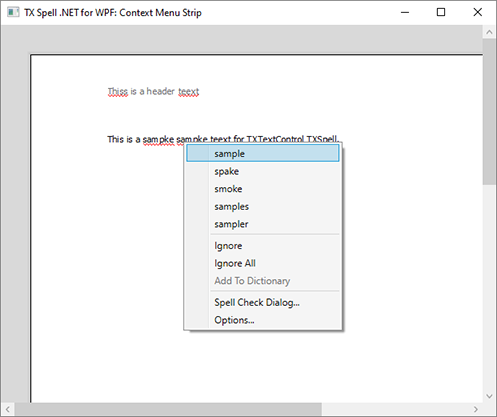
- Correct Words from the Context Menu: the suggestions and commands of the spell check context menu.
- Open the Spell Check Dialog: the spelling dialog of TX Text Control and the customizable dialog of TX Spell .NET.