
Checking Multiple Controls
A window with several editors -- a letter and its cover note, the fields of a record, the panes of a comparison -- needs only one spell checker. A single TXSpellChecker serves any number of controls: the dictionaries are loaded once, a word added to the user dictionary in one editor is accepted in all others at once, and memory use stays that of one instance. It covers checking as the user types in several TextControl instances, and one spell check dialog that works through several controls in turn.
Share One Spell Checker Between TextControls
The connection is made on the editor's side. Each TextControl has a SpellChecker property that holds the key of a spell checker resource, and you give every editor the same key. TX Text Control looks for the key in the resources of the TextControl and of its parents, so one resource of the window serves every editor in it. There is nothing to switch when the user moves from one editor to the next.
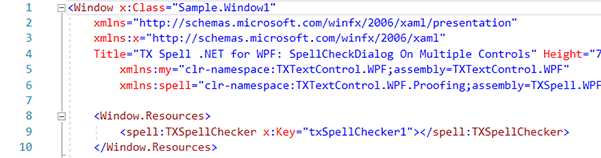
Declare one TXSpellChecker in the resources of the window:
Set
SpellChecker="txSpellChecker1"andIsSpellCheckingEnabled="True"on eachTextControl:
In text, the markup of the two steps reads:
<Window.Resources>
    <spell:TXSpellChecker x:Key="txSpellChecker1" />
</Window.Resources>
<UniformGrid Rows="2" Columns="2">
    <tx:TextControl x:Name="textControl1" SpellChecker="txSpellChecker1" IsSpellCheckingEnabled="True" />
    <tx:TextControl x:Name="textControl2" SpellChecker="txSpellChecker1" IsSpellCheckingEnabled="True" />
    <tx:TextControl x:Name="textControl3" SpellChecker="txSpellChecker1" IsSpellCheckingEnabled="True" />
    <tx:TextControl x:Name="textControl4" SpellChecker="txSpellChecker1" IsSpellCheckingEnabled="True" />
</UniformGrid>
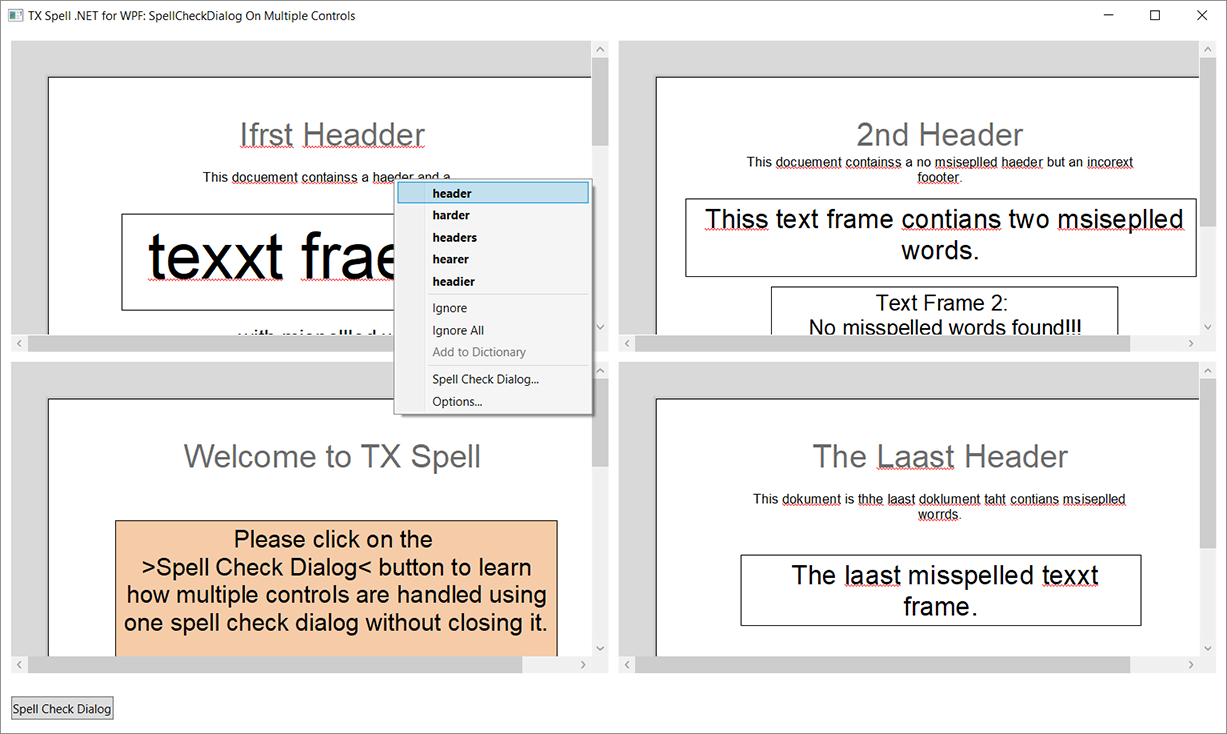
The spell and tx prefixes are mapped as in As-You-Type Checking. Each editor now underlines its misspelled words and shows the same context menu, backed by the same dictionaries and user dictionaries:
Check Several TextControls in One Dialog
The SpellCheckDialog of TX Spell .NET checks one control at a time. To have it continue with the next editor instead of closing, handle SpellCheckDialogClosing. It fires when the dialog is about to close, either because the user closed it or because the current control has no more misspelled words. txSpellChecker1 is the resource of the window, which the code-behind gets with FindResource, as As-You-Type Checking shows.
Attach the handler once, after
FindResourcein the constructor:txSpellChecker1.SpellCheckDialogClosing += txSpellChecker1_SpellCheckDialogClosing;Open the dialog for the first editor and remember which editor it checks:
private TXTextControl.WPF.TextControl[] textControls;
private TXTextControl.WPF.TextControl curTextControl;

private void buttonSpelling_Click(object sender, RoutedEventArgs e)
{
    textControls = new[] { textControl1, textControl2, textControl3, textControl4 };
    curTextControl = textControls[0];
    txSpellChecker1.SpellCheckDialog.Show(curTextControl);
}
Handle
SpellCheckDialogClosing. If the current editor is done and another follows, hand it to the dialog and cancel the closing:private void txSpellChecker1_SpellCheckDialogClosing(object sender, TXTextControl.WPF.Proofing.SpellCheckDialogClosingEventArgs e) { // A word is still waiting: the user closed the dialog early if (e.StateManager.NextMisspelledWord != null) return; e.Cancel = SetNextTextControl(e.StateManager); } private bool SetNextTextControl(TXTextControl.WPF.Proofing.SpellCheckDialogStateManager stateManager) { int index = Array.IndexOf(textControls, curTextControl); // The last editor is done: let the dialog close if (index == textControls.Length - 1) return false; curTextControl = textControls[index + 1]; stateManager.SetNext(curTextControl); return true; }Run the application and click the button. The dialog works through the first editor, then continues with the second, and closes after the last.
The code works as follows:
- StateManager, a SpellCheckDialogStateManager, tells the handler where the dialog stands and lets it decide what comes next.
- NextMisspelledWord is the word the dialog would show next. If it is not
null, the check was not finished, so the user closed the dialog and the handler lets it close. - SetNext with a
TextControlmakes that editor the next one the dialog checks. - Setting Cancel to
truekeeps the dialog open. The user sees one dialog for all editors.
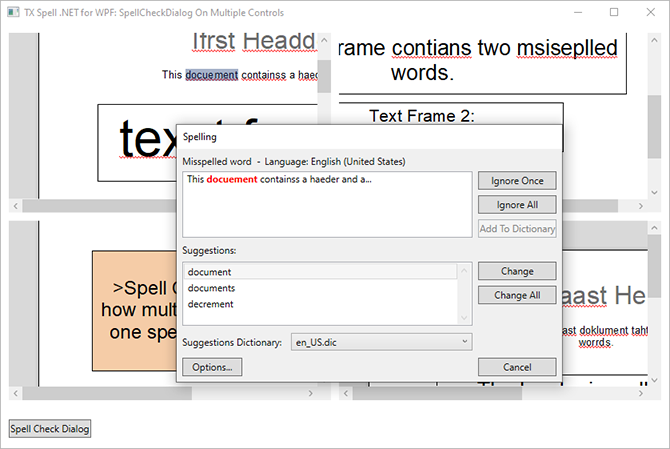
The dialog checks every text part of each editor, headers, footers and text frames included. The TextControl\SpellCheckDialog on multiple controls sample of the setup is built this way:
Check Several TextBoxes in One Dialog
Without a connected TextControl, the spell checker isn't initialized for you: call its Create method once before the first check, for example in the constructor of the window.
The same event works for other controls, with two differences. The dialog starts with the words of a Check call, and the handler hands it the text of the next control by passing that text to SetNext as a string. And because there is no TextControl, the handler tests NextIncorrectWord instead of NextMisspelledWord:
private TextBox[] textBoxes;
private TextBox curTextBox;

private void buttonSpelling_Click(object sender, RoutedEventArgs e)
{
    textBoxes = new[] { textBox1, textBox2, textBox3, textBox4 };
    curTextBox = textBoxes[0];

    txSpellChecker1.Check(curTextBox.Text);
    txSpellChecker1.SpellCheckDialog.Show(this);
}

private void txSpellChecker1_SpellCheckDialogClosing(object sender, TXTextControl.WPF.Proofing.SpellCheckDialogClosingEventArgs e)
{
    if (e.StateManager.NextIncorrectWord != null) return;

    int index = Array.IndexOf(textBoxes, curTextBox);
    if (index == textBoxes.Length - 1) return;

    curTextBox = textBoxes[index + 1];
    e.StateManager.SetNext(curTextBox.Text);
    e.Cancel = true;
}
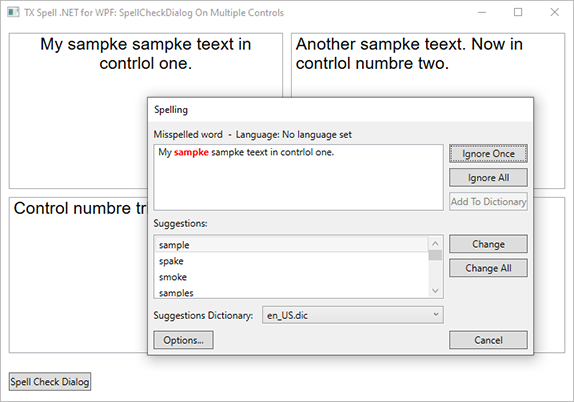
The corrections still reach each control through the IncorrectWordChanging event, as Checking on Demand shows; there, textBox1 becomes curTextBox. The SpellCheckDialog on multiple controls sample for the RichTextBox checks four of them in one dialog:
Next Steps
- Checking Text Parts: decide which headers, footers and text frames the dialog checks.
- User Dictionaries: the words users add, shared by every connected control.
- Events: the other events of the dialog, such as
SpellCheckDialogOpening. - Spell Checking Examples: the samples of the setup for several controls.