
Visual Studio
A WPF window with TX Text Control is usually built in Visual Studio: the toolbox holds the controls, the XAML editor declares them and the XAML Designer shows them as they will look. Here you find the Visual Studio versions that work with TX Text Control .NET for WPF 34.0, the languages and project templates to use and what the product adds to Visual Studio.
Supported Versions
| Visual Studio | Source |
|---|---|
| Visual Studio 2026 | Text Control tested version 34.0 with Visual Studio 2026, including the NuGet packages, the toolbox, the designers and the project templates. |
| Visual Studio 2013, 2015, 2017, 2019 and 2022 | Listed as development environments in the requirements documentation |
The framework versions your projects can target are listed in .NET and .NET Framework.
Languages
You write the code-behind of your windows in C# or Visual Basic; the tutorials let you choose either when you create the project. The code on these pages is C#, and the user interface is declared in XAML.
Project Templates
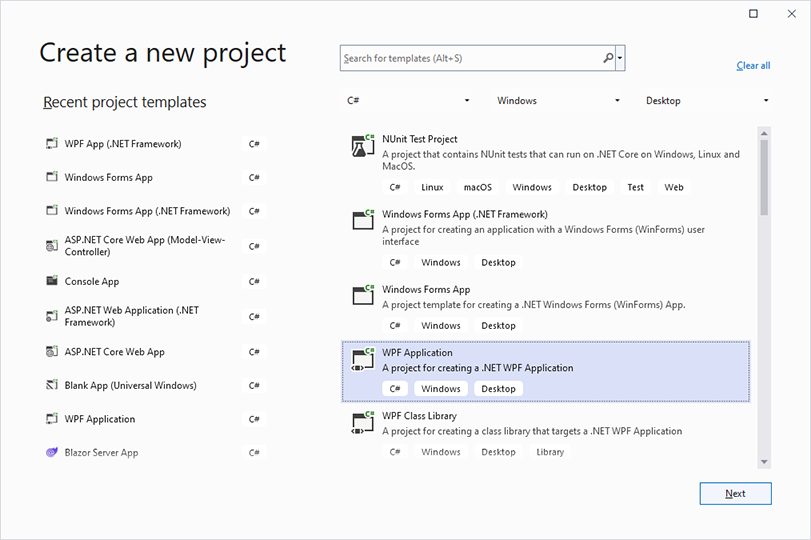
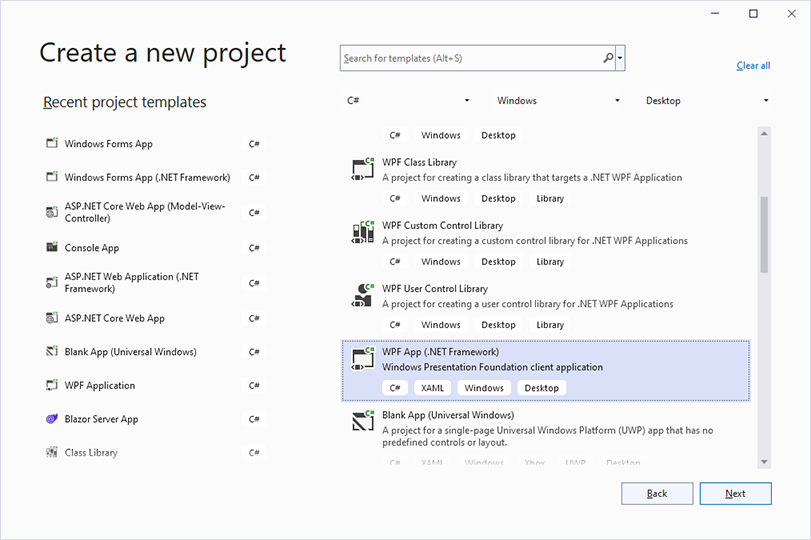
Two Visual Studio templates create a WPF project. In the Create a new project dialog, select your language, Windows as the platform and Desktop as the project type to find them:
| Template | Framework | TX Text Control files |
|---|---|---|
| WPF Application | .NET 8 or higher | The NuGet package TXTextControl.TextControl.WPF.SDK, installed with Project > Manage NuGet Packages... from the package source Text Control Offline Packages |
| WPF App (.NET Framework) | The .NET Framework, for example 4.8 | The assemblies of the setup, added as references when you place the first control from the toolbox |
The template for .NET is described as "A project for creating a .NET WPF Application":
The template for the .NET Framework is described as "Windows Presentation Foundation client application":
Create Your First WPF Application and Create a .NET Framework Application walk through a project of each kind.
How TX Text Control Integrates With Visual Studio
The setup adds the package source Text Control Offline Packages and the controls of the toolbox tab TX Text Control 34.0, and the XAML Designer needs it on every development machine. Visual Studio Toolbox and XAML Designer describes where the tab comes from in each kind of project, its items and how to place them in a window.