
Forms and Conditional Instructions
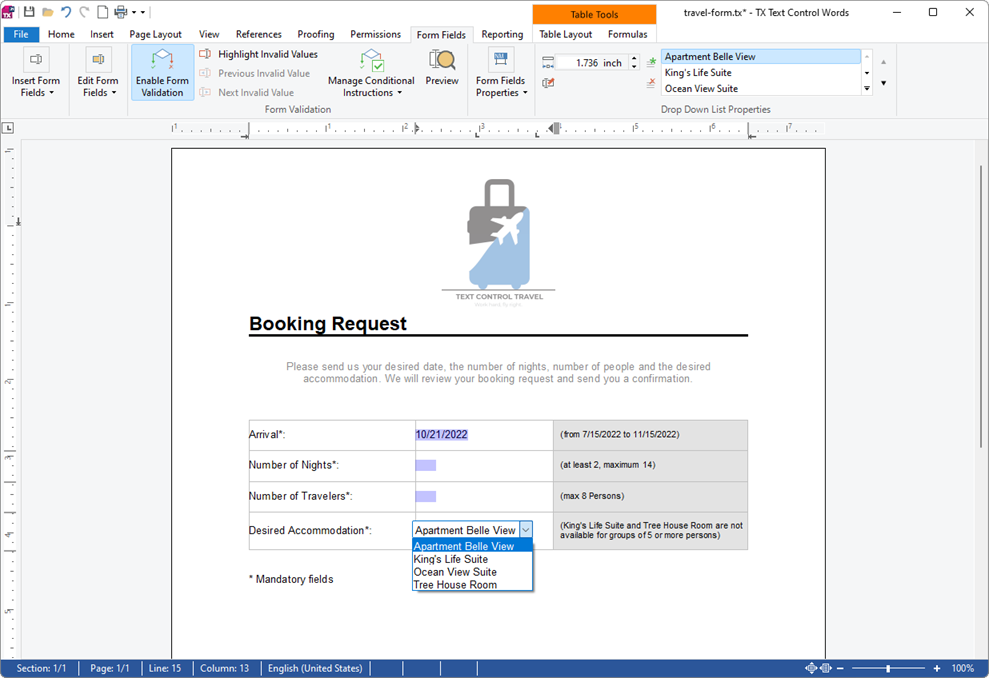
A booking request, an order form or a checklist becomes a fillable form when its blanks are form fields: text boxes, check boxes, drop-down lists and date pickers. In a Windows Forms application, the TextControl is both the designer and the form: your code inserts the fields, protects the document so that users can only fill them out, reacts to every value they enter and checks the values with conditional instructions, rules stored in the document itself.
Each step below is explained in full on the page it links to. Forms are available in the Enterprise edition, as Editions lists. Filling form fields from data is described in Merge Form Fields.
Form Field Types
All form fields derive from FormField and are kept in TextControl.FormFields, the form fields of the whole document: TextFormField, CheckFormField, SelectionFormField and DateFormField. Form Field Types describes what the user does with each of them.
Create a Form
FormFieldCollection.Add inserts a form field at the input position and returns true if it was inserted. Insert Form Fields in Code builds a booking form with one field of each type and explains the constructors; besides the overload with a width, the DateFormField constructor also takes the preset date and the width.
Protect the Form
Until the document is protected, the user can edit all text around the fields. DocumentPermissions.ReadOnly, AllowEditingFormFields and the EditMode ReadAndSelect turn it into a form, as Let Users Fill Out the Form shows. Document Protection and User Permissions describes the other permissions and passwords.
React to Values the User Enters
FormFieldTextChanged, FormFieldCheckChanged, FormFieldSelectionChanged and FormFieldDateChanged report the values the user enters, each with the changed form field in its event data. Read the Values lists the events and reads the value of each field type: Text, Checked, SelectedIndex or Date, which is null while the date field is empty.
Check Values With Conditional Instructions
A conditional instruction is a rule stored in the document: when its conditions are fulfilled, its instructions change form fields, for example mark a value as invalid, disable a field or set a new value. TX Text Control evaluates the rules while the user fills out the protected form, so the form checks itself without code in your application. Conditional Instructions describes every condition and instruction, in the dialog box and in C#, and builds the rules of a complete booking request form.
Read and Flatten the Values
To archive a filled form so that nobody can change it, flatten it: remove the form fields with GetTextFields(TextFieldType.FormFields).Clear(true) and keep their text. Exporting Interactive and Flattened Forms flattens all or some fields of a form, and PDF Forms reads the filled PDF forms that come back from users.
Next Steps
- Conditional Instructions: every kind of condition and instruction, with a complete example.
- Form Fields and Conditional Instructions: design forms with the ribbon and in code.
- Document Protection and User Permissions: passwords and permissions of protected documents.
- Merge Fields: fill form fields from data.
- Fields and Subtext Parts: the other kinds of fields.