
Built-In Dialog Boxes
TXTextControl comes with built-in dialog boxes for the common tasks of a word processor: fonts, symbols, paragraphs, tabs, lists, styles, tables, tables of contents, sections, page numbers, languages, images and objects, form fields, loading, saving, printing and search and replace. Each dialog box opens with one method call.
The methods are also listed in the category pages of the subjects they belong to.
Methods
| Member | Description |
|---|---|
TXTextControl.FindReplace | Displays a 'Find' or 'Replace' dialog box. |
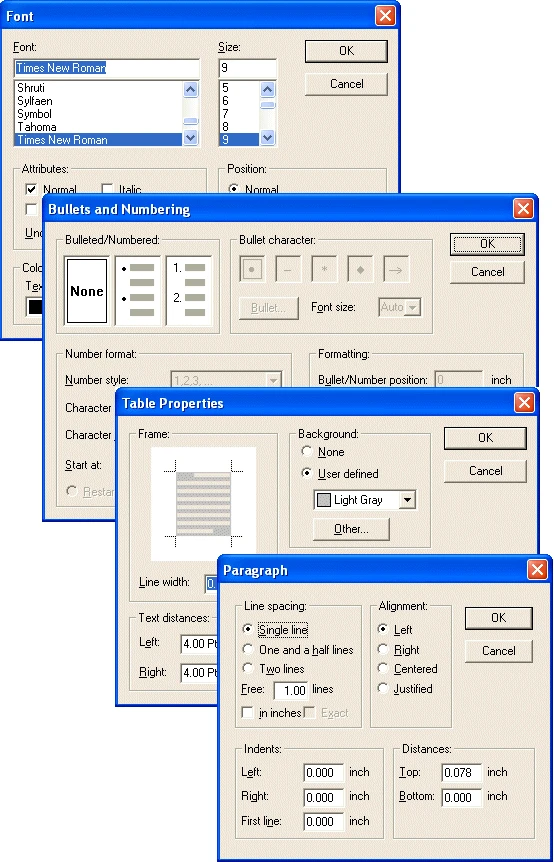
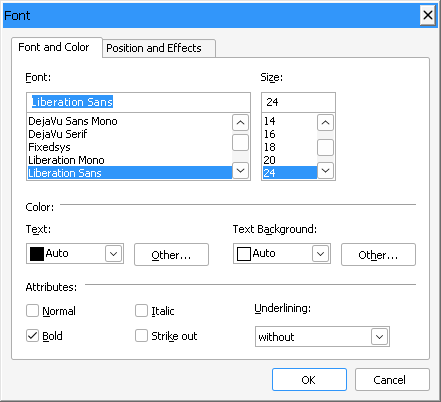
TXTextControl.FontDialog | Invokes the TXTextControl's built-in font dialog box and, after the user has closed the dialog box, specifies whether the user has changed something. |
TXTextControl.FormFieldDialog | This method opens a built-in dialog box to set formatting attributes for the specified form field. |
TXTextControl.InsertSymbolDialog | Opens a modeless dialog box which can be used to insert symbol characters. |
TXTextControl.ListAttrDialog | Invokes the TXTextControl's built-in dialog box for setting attributes of bulleted and numbered lists. |
TXTextControl.LoadDialog | Opens the system 'Open' dialogbox and loads a document as specified. |
TXTextControl.LocaleDialog | Invokes the TXTextControl's built-in language dialog box and, after the user has closed the dialog box, specifies whether the user has changed something. |
TXTextControl.ObjectAttrDialog | This method invokes the built-in dialog box for setting attributes of images, text frames and OLE objects. |
TXTextControl.PageNumberDialog | This method opens a built-in dialog box to set formatting attributes for the specified page number field. |
TXTextControl.ParagraphDialog | Invokes the TXTextControl's built-in paragraph attributes dialog box and, after the user has closed the dialog box, specifies whether the user has changed something. |
TXTextControl.PrintDialog | Opens the system printing dialog and prints a TXTextControl document as specified through the dialog. |
TXTextControl.SaveDialog | Opens the system 'Save As' dialogbox and saves a document as specified. |
TXTextControl.SectionFormatDialog | This method invokes the built-in dialog box to set page settings and to design the headers and footers either for the whole document or for a single section. |
TXTextControl.StyleDialog | Invokes the TXTextControl's built-in dialog box for creating, deleting and modifying formatting styles. |
TXTextControl.TabDialog | Invokes the TXTextControl's built-in dialog box for setting tabs. |
TXTextControl.TableAttrDialog | This method invokes the built-in dialog box for setting table attributes and, after the user has closed the dialog box, specifies whether the user has changed something. |
TXTextControl.TableInsertDialog | This method opens a built-in dialog box which offers options to define a new table. |
TXTextControl.TableOfContentsDialog | Invokes the built-in dialog box for inserting or changing a table of contents. |