
Stylesheet Formatting
Formatting styles are named sets of character or paragraph attributes. TXTextControl exposes the style at the input position, a dialog box for creating, deleting and modifying styles and two events: one when the input position moves to text of another style, one when styles are added or removed.
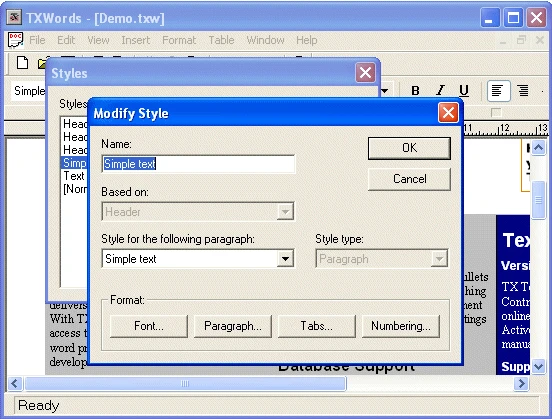
To create and change styles in code, use the Style and Styles objects described under Stylesheet Programming.
Properties
| Member | Description |
|---|---|
TXTextControl.StyleCurrent | Returns or sets the formatting style at the current input position or, if text is selected, changes all styles of the selected text to the specified style. |
Methods
| Member | Description |
|---|---|
TXTextControl.StyleDialog | Invokes the TXTextControl's built-in dialog box for creating, deleting and modifying formatting styles. |
Events
| Member | Description |
|---|---|
TXTextControl.StyleChanged | Occurs after the character input position has been moved to a text part formatted with another style. |
TXTextControl.StyleListChanged | Occurs after one or more formatting styles have been added or removed. |