
Introduction
TX Text Control ActiveX is a text processor in a single ActiveX control. You build text-based applications of every kind with the programming style of Visual Basic, and your users get formatting and display features that are otherwise found in large word processing packages.
If TX Text Control is new to you, read on for the controls and objects the product consists of and for a map of the tutorials and articles that show how to use them.
What TX Text Control ActiveX Is
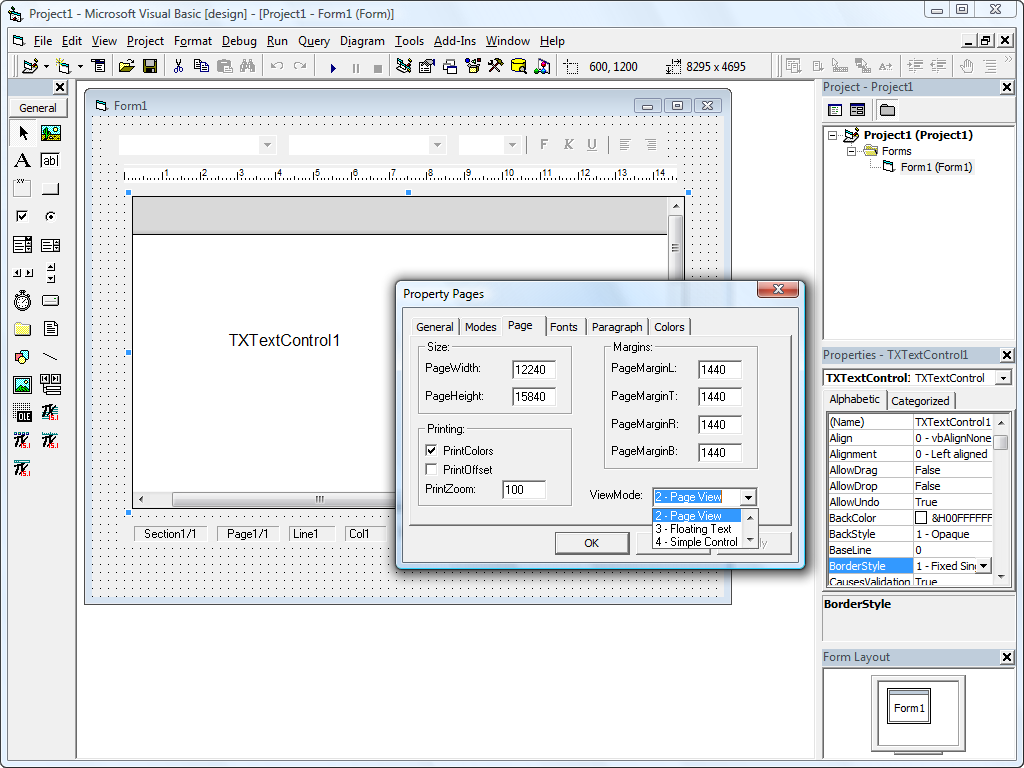
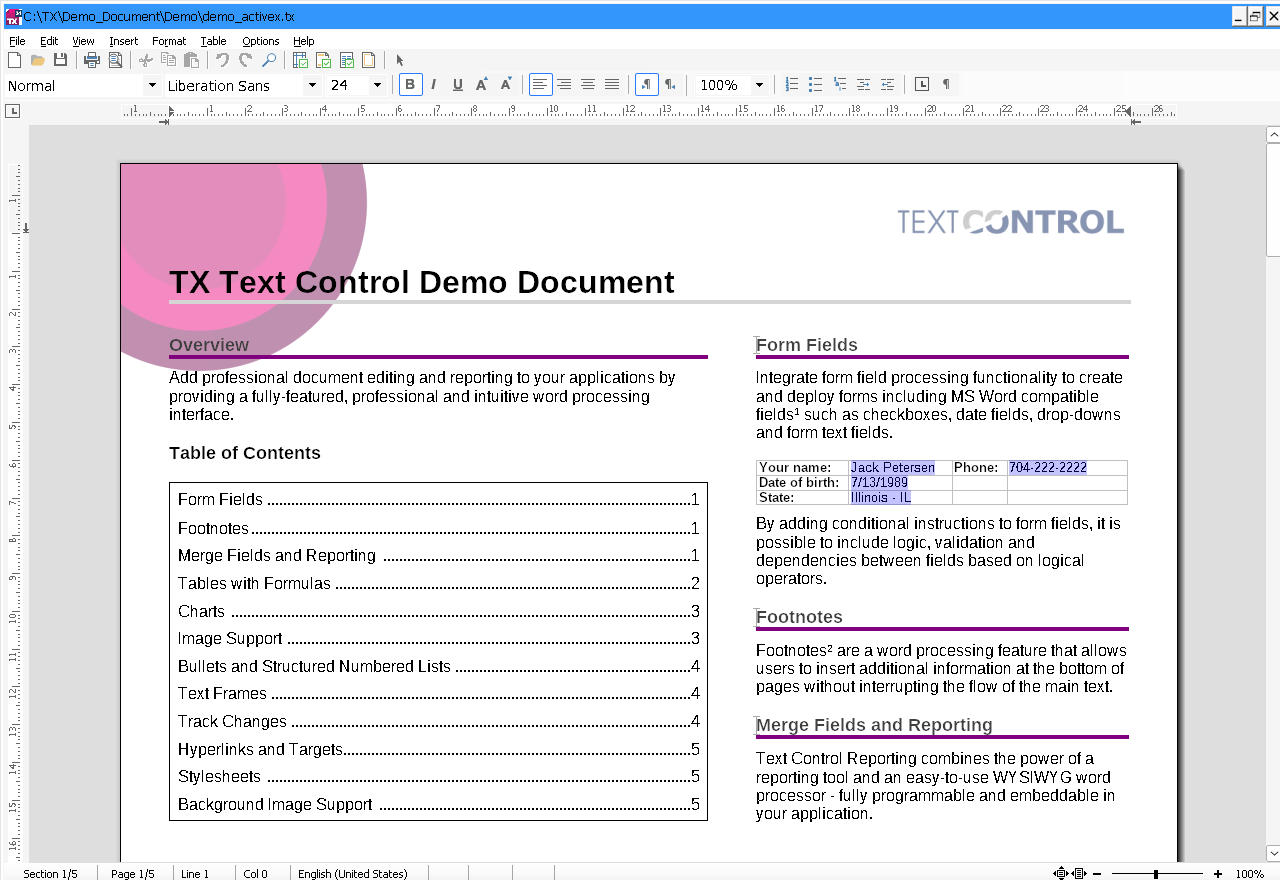
You place the TXTextControl control on a form, and it displays and edits a text document. Around it, a button bar, a ruler bar and a status bar are separate controls that you connect to it. The formatting styles and the XML elements of a document are OLE Automation objects that your code reads and changes.
The product runs in Microsoft Visual Basic 6.0 and in Active Server Pages (ASP) on Microsoft Internet Information Server, and in other development platforms that support ActiveX controls. System Requirements lists the Windows versions and environments.
Controls and Objects
| Control or object | What it does |
|---|---|
| TXTextControl | The main control, which displays and edits a text document. Its many properties, methods and events are listed alphabetically in the reference and by subject in Programming Categories. |
| TXButtonBar | A button bar for a TXTextControl, with combo boxes and buttons. You design its layout yourself. |
| TXRulerBar | A ruler bar for a TXTextControl. Users set paragraph attributes such as indents and tabs with it, and the horizontal alignment of table cells. |
| TXStatusBar | A status bar for a TXTextControl. It shows the page, line and column number of the current input position, the zoom factor and some key states, and it can display an information text. |
| Style | An OLE Automation object that represents a formatting style. You create a new one with the CreateObject function, and you get an existing one from the Styles collection. |
| Styles | A collection object whose members are the Style objects of all formatting styles in a document. The Styles property of TXTextControl returns it. |
| XMLElement | An OLE Automation object that represents an element of an XML document. You create a new one with the CreateObject function, and you iterate through the existing ones with the XMLElements collection. |
| XMLElements | A collection object whose members are the XMLElement objects of all XML elements with a certain tag name. The XMLElements property of TXTextControl returns it. |
On a Visual Basic 6 form, the controls look like this in design mode:
At run time, the TXWords sample of version 34.0 connects all four controls:
The API Reference documents every property, method and event of these controls and objects.
Find the Right Page
The documentation has two kinds of pages about the use of the product. The Visual Basic tutorials describe how to use TX Text Control with Microsoft Visual Basic, step by step. The technical articles give an overview of how the properties, methods and events of TX Text Control work together on one subject.
Next Steps
- System Requirements: the Windows versions and development environments the product supports.
- Creating a Simple Word Processor: your first Visual Basic application with TX Text Control.
- ASP and VBScript: TX Text Control in Active Server Pages on Internet Information Server.
- API Reference: every control, object, property, method and event.