
Document Viewer
The Document Viewer is a lightweight, read-only viewer that displays DOCX, PDF and other supported documents in the browser, without plug-ins, Microsoft Word or Adobe Acrobat Reader. Users can read, search, print and download documents, add annotations, fill out form fields and sign documents, but they cannot change the content. The tutorials that follow add the viewer to an ASP.NET Core, Angular, React or plain JavaScript application.
What the Document Viewer Does
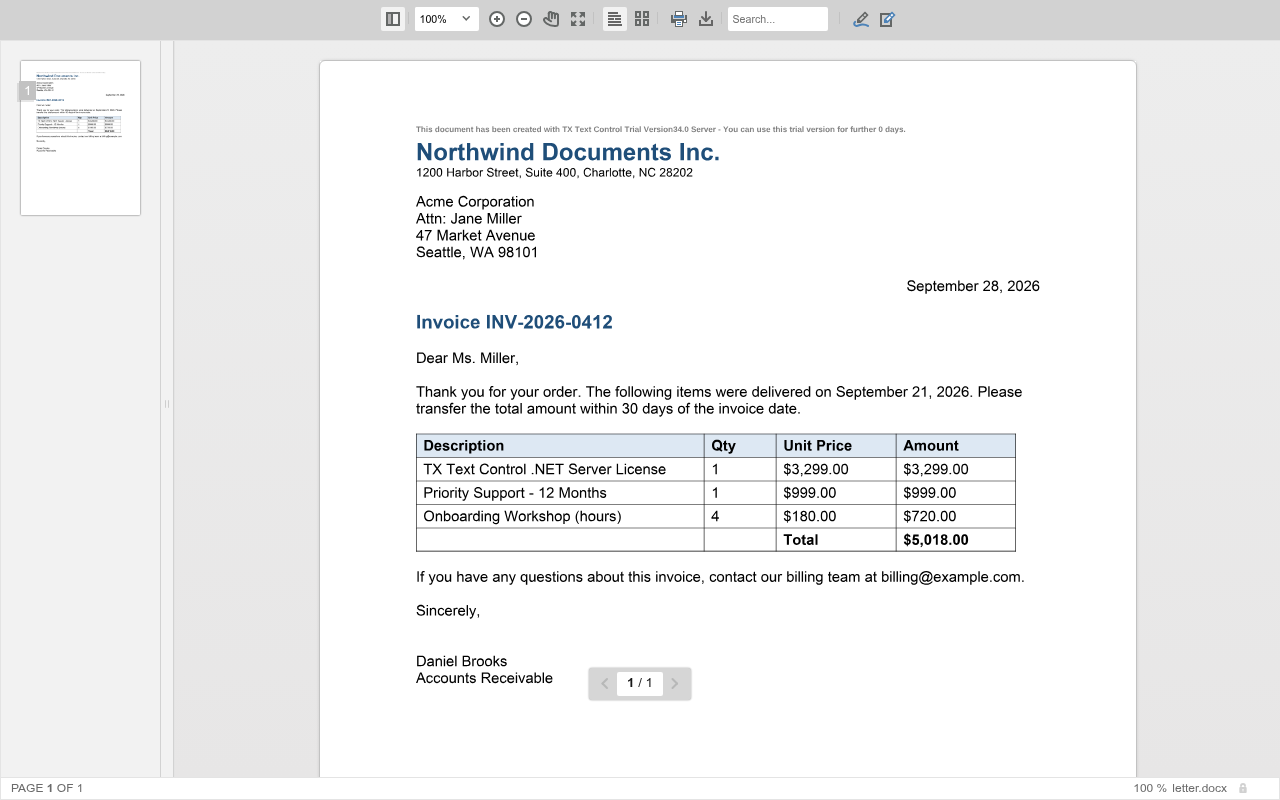
Choose the viewer when users only need to read, annotate, fill out or sign a document, and the Document Editor when they need to change its content; both can be used in the same application. Document Viewer or Document Editor in the Overview compares the two, and What Users Do With It lists the formats and features.
How It Works
The viewer's frontend runs in the browser and calls an ASP.NET Core backend over HTTP, which renders the pages. Angular, React and plain JavaScript frontends need a separate backend that allows cross-origin requests (CORS). How It Works in the Overview describes the parts and the packages of each engine.
Choose a Frontend
| Frontend | Use it when | What you install |
|---|---|---|
| ASP.NET Core | You build an ASP.NET Core MVC application with Razor views. The viewer and its backend run in one project. | NuGet packages only |
| Angular | You build an Angular application. | The npm package @txtextcontrol/tx-ng-document-viewer and a separate ASP.NET Core backend |
| React | You build a React application. | The npm package @txtextcontrol/tx-react-document-viewer and a separate ASP.NET Core backend |
| JavaScript | You use plain HTML and JavaScript without a framework. | Two scripts that the ASP.NET Core backend serves |
If you are not sure, start with ASP.NET Core. It needs only one project, and everything you learn about the viewer settings and the JavaScript API also applies to the other frontends.
Pages in This Section
- ASP.NET Core: Create an ASP.NET Core MVC application, add the viewer to a Razor view, load a document and use the JavaScript API.
- Angular: Create an ASP.NET Core backend and an Angular application that uses the Document Viewer component.
- React: Create an ASP.NET Core backend and a React application that uses the Document Viewer component.
- JavaScript: Add the viewer to a plain HTML page and control it with the JavaScript API.
Next Steps
- System Requirements: the .NET versions, operating systems and browsers the viewer runs with.
- Text Control Private NuGet Feed: get access to the packages the tutorials install.
- Document Viewer Architecture: how the frontend and the backend of the viewer work together.
- Document Viewer JavaScript API: control the viewer from JavaScript.